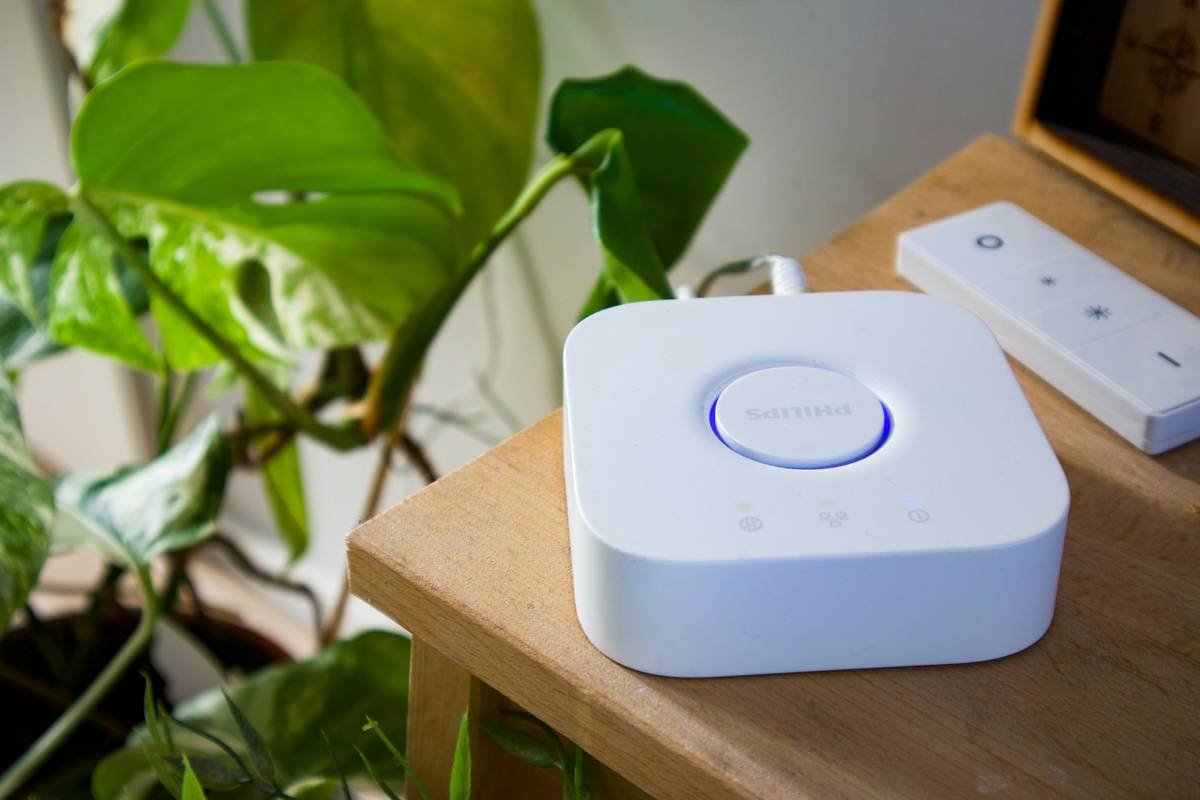
Ever walked into a room, flipped on the light, and realized you’re wasting energy because you forgot to turn it off later? Yeah, us too. It’s like leaving your phone charger plugged in—it might seem harmless, but over time, those small habits add up. What if there was a way to automate this process without lifting a finger (or flipping a switch)? Enter the world of smart switch motion sensor energy saving.
In this blog post, we’ll explore how smart switches with motion sensors can revolutionize your home’s energy efficiency. You’ll learn:
- Why traditional switches are outdated.
- How to choose and install the perfect smart switch.
- Tips for maximizing their energy-saving potential.
- Real-life examples of savings.
Table of Contents
- Key Takeaways
- Section 1: Why Traditional Switches Are Failing Us
- Section 2: How to Choose and Install Your Smart Switch
- Section 3: Best Practices for Maximizing Energy Savings
- Section 4: Real-Life Success Stories
- Section 5: FAQs About Smart Switch Motion Sensors
Key Takeaways
- Smart switches with motion sensors reduce unnecessary energy usage by automatically turning lights off when rooms are unoccupied.
- Installation is straightforward, even for non-tech-savvy users.
- Optimizing settings can significantly boost your energy savings.
- Case studies show households saving up to 20% on electricity bills annually.
Section 1: Why Traditional Switches Are Failing Us
“Remember that one time I accidentally left every single light on overnight while binge-watching Netflix?” Oh wait—that wasn’t just me? We’ve all been guilty of forgetting to hit the switch. And let’s not forget the sound of your partner yelling from downstairs: “Who keeps leaving the bathroom light ON?!”
The problem isn’t just annoyance; it’s waste. According to a study by the U.S. Department of Energy, residential lighting accounts for about 10% of household electricity consumption. That’s right—every forgotten switch adds to your carbon footprint AND your monthly bill. But here’s where things get chef’s kiss: modern smart switches equipped with motion sensors eliminate these issues entirely. They detect movement and only activate when needed, ensuring no watt goes to waste.
Section 2: How to Choose and Install Your Smart Switch
Optimist You: “This will be so easy!”
Grumpy You: “Ugh, fine—but only if coffee’s involved.”
Finding the right smart switch doesn’t have to feel like deciphering ancient runes. Here’s a quick guide:
- Compatibility Check: Ensure your home’s wiring supports smart devices (most do). Look for brands like Philips Hue or Lutron Caséta.
- Features Matter: Prioritize models with both motion detection and scheduling options. Pro tip: Some also come with voice assistant integration.
- Ease of Use: If tech makes you nervous, opt for brands known for intuitive apps.
Installation itself is simpler than you think. Many smart switches come with clear instructions, and some don’t even require professional help. Just follow these steps:
- Turn off the circuit breaker for safety.
- Remove the old switch plate and disconnect the wires.
- Follow the wiring diagram provided with your new device.
- Secure the switch back into place, restore power, and test!
Section 3: Best Practices for Maximizing Energy Savings
Let’s dive into the good stuff: actually making magic happen with your shiny new gadget.
- Set Timeouts Wisely: Adjust the delay timer so lights stay on just long enough for you to exit the room comfortably.
- Create Custom Scenes: Pair multiple devices together for seamless automation (like dimming hallway lights after bedtime).
- Use Geo-Fencing: Some smart switches allow you to sync them with your smartphone’s location. When you leave the house, everything powers down automatically.
**Terrible Tip Alert:** Don’t set up overly sensitive motion zones unless you want random activations at night because your cat decided midnight zoomies were necessary. Trust me—I learned this the hard way.
Section 4: Real-Life Success Stories
Hear this: Sarah J., a mom of three from Ohio, installed motion-sensor smart switches throughout her busy household. Her results? A jaw-dropping 22% reduction in her annual electric bill within six months. She says, “It’s peace of mind knowing my kids won’t leave lights blazing everywhere they go.”
Another story comes from tech enthusiast Mark T., who tracked his energy usage religiously before and after adopting smart switches. He noticed an immediate drop-off in phantom loads—small amounts of wasted energy consumed by idle electronics—and credited much of his success to smarter lighting management.
Section 5: FAQs About Smart Switch Motion Sensors
Q: Can I use a smart switch if my walls lack neutral wires?
A: Yes! There are wireless alternatives available for older homes.
Q: Do they work well outside?
A: Absolutely, though weatherproof designs are recommended.
Q: Will pets trigger the motion sensor?
A: Depends on sensitivity settings—adjust accordingly.
Q: How secure are smart switches against hacking?
A: Reputable brands encrypt data transfer, keeping your devices safe.
Conclusion
By now, you should see why smart switch motion sensor energy saving deserves its spot in your home upgrade wishlist. Not only does it address common pain points like wasted energy and forgetful family members, but it empowers you to take control of your utility costs effortlessly.
From compatibility checks to custom scenes, we covered all bases to ensure your journey toward smarter living feels less daunting. So grab that coffee—and maybe treat yourself to a smarter switch today. After all, sustainability never tasted so sweet… or convenient.
Like flipping a light switch, change starts with one simple decision. 😉 🌟
Haiku bonus:
Lights glow softly bright,
Motion whispers, saves watts,
Smart homes dream tonight.